 Mare
MareManual / Mare 0.22
Import from other apps
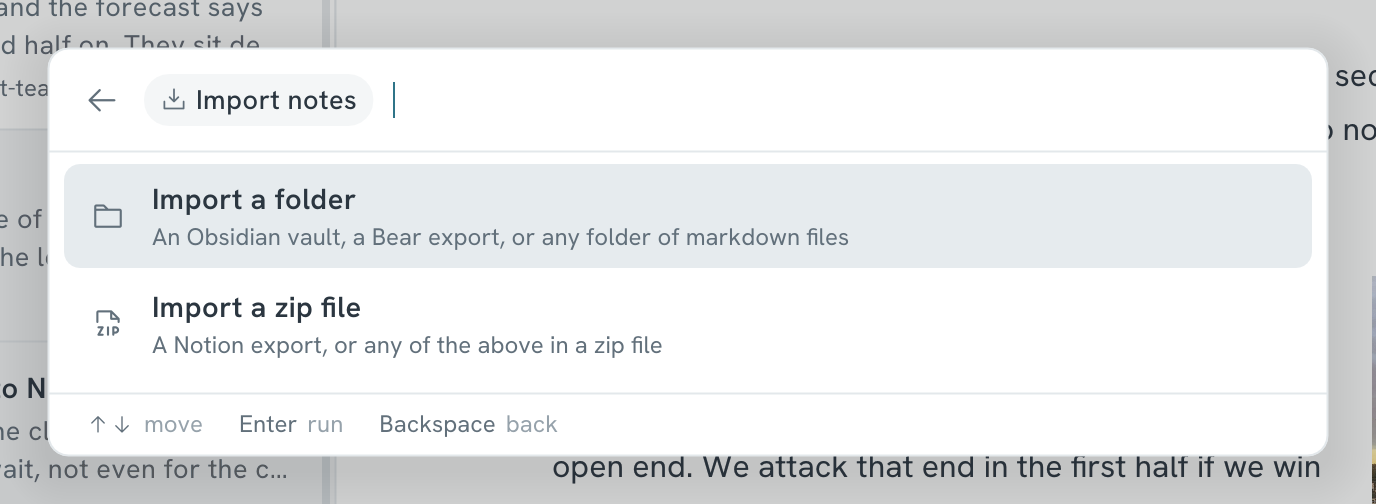
Press Ctrl+K and choose Import notes. Then pick what you exported:
- Obsidian → choose Import a folder and pick your vault.
- Bear → in Bear, choose File → Export notes, as Markdown or TextBundle. Then import that folder.
- Notion → in Notion, open the ••• menu of a page and choose Export. Pick Markdown & CSV and turn on subpages. Then choose Import a zip file and pick the zip.
- Anything else → import a folder or zip file of markdown files.
Mare keeps what it can:
- Links between your notes still work, and pictures and files are copied into the workspace.
- Folders become tags. A note in
School/Mathsgets the tag#school/maths. - Tags from the top of an Obsidian note come along. The rest of that block doesn't.
- A Notion database becomes a note with a table. Its columns get a type: choice, tick, date or number.
- Import the same folder or zip again to update the notes. You don't get a second copy.
On Android, import a zip file.