 Mare
MareMare for macOS
A native markdown notes app for the Mac, without the lock-in
For Apple silicon and Intel. Your notes are plain markdown files, and the same workspace opens on Windows and Linux too.
Needs macOS 11 or newer, on Apple silicon or Intel. Nothing else to install.

Install it in three steps
- Download the zip and unzip it.
- Move Mare.app into Applications.
- The first time, right-click Mare and choose Open. macOS asks once, because Mare has no Apple Developer ID yet.
The first time you open Mare
- A folder for your notes
- Mare asks where to keep your notes and creates your first workspace there. You can set up sync later.
- The one-minute tour
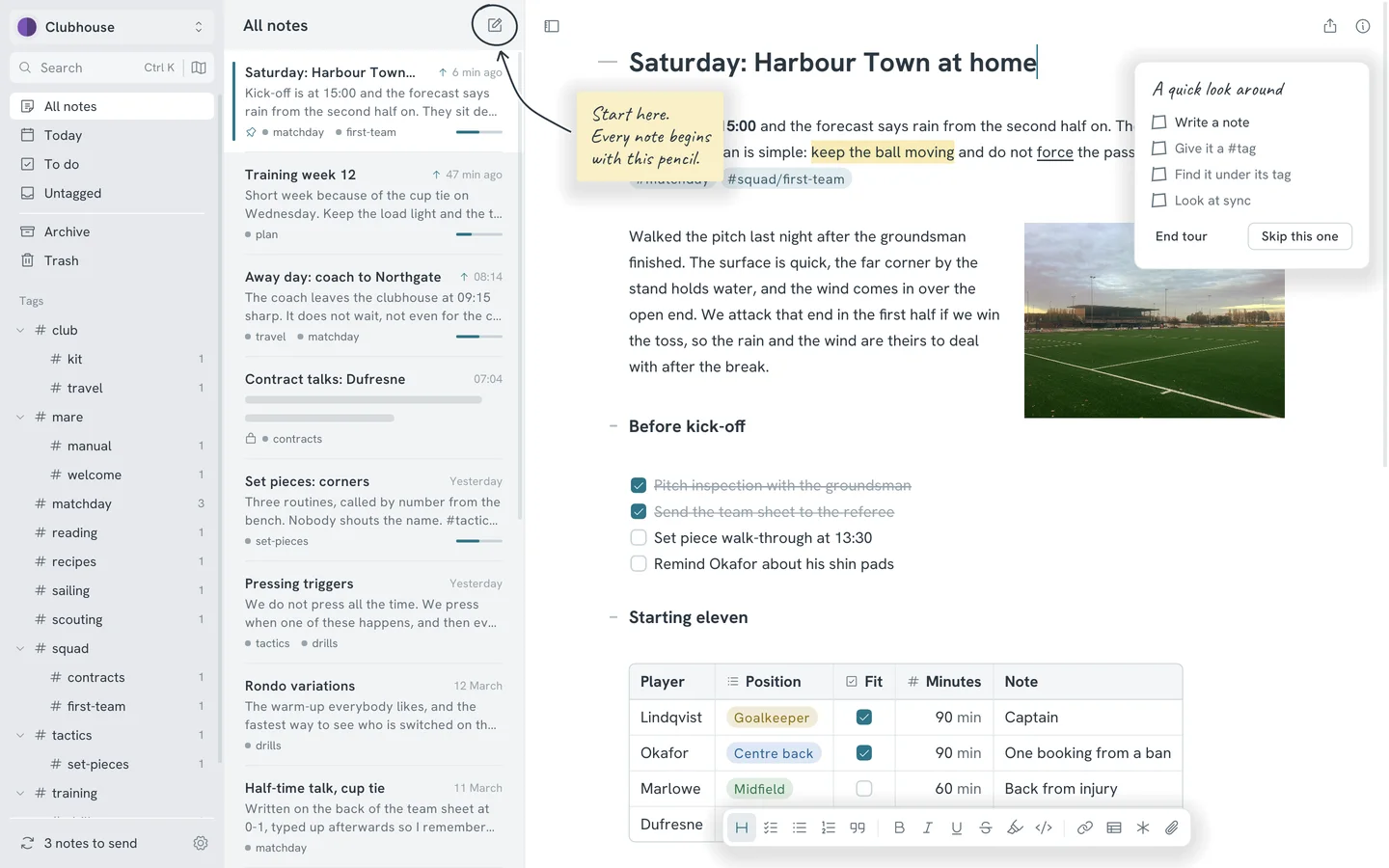
- Handwritten notes with arrows point at the few things worth knowing. Each one is ticked off as you try it. Skip the tour if you like. You can start it again from Preferences.
- The Logbook note
- The Logbook of the sloop Probably Fine shows everything the editor can do. Scribble on it all you like. The next update restores it.
Other ways to get it
- Nightly
Built every night from the main branch. You get new features first, and now and then a broken one.
Checking - iPhone and iPad
On TestFlight until it's in the App Store. Install it from your iPhone or iPad.
What you get on macOS
Not only for the Mac
A workspace syncs through Google Drive, a git remote, a folder, SFTP or S3, and opens on Windows and Linux as well. Share one with someone on another system and you both work in the same notes.
Asleep until you type
Mare redraws the window only when something changes. An open note you're not touching uses no CPU.
At home on a Mac
Shortcuts use Cmd where the other systems use Ctrl. Mare can follow your system's light or dark setting, and one of the 22 themes is styled after macOS.
Plain files in a folder
Every note is one markdown file in a folder you choose, with your pictures next to it. You can open them in any text editor, with or without Mare.
- What it needs
- macOS 11 or newer, on Apple silicon or Intel, with a download for each. There's nothing else to install. Mare keeps each workspace's history in git, and git is built in.
- Why macOS asks
- Mare isn't signed with an Apple Developer ID yet, so Gatekeeper asks once before opening it. If right-click and Open doesn't offer it, allow Mare in System Settings under Privacy & Security.
- Updates
- After the first install, Mare updates automatically. When a new version is ready, a small card in the corner offers to relaunch. There's a nightly channel as well as the stable one.
- iPhone and iPad
- Mare also runs on iPhone and iPad. You install it from TestFlight until it's in the App Store.