 Mare
MareComing from Bear
A Bear alternative for Windows and Linux
Bear is a lovely notes app that only runs on Apple devices. Mare is built on the same ideas: markdown that hides its markers, and tags instead of folders. It runs on Windows, Linux and macOS, and it's free.
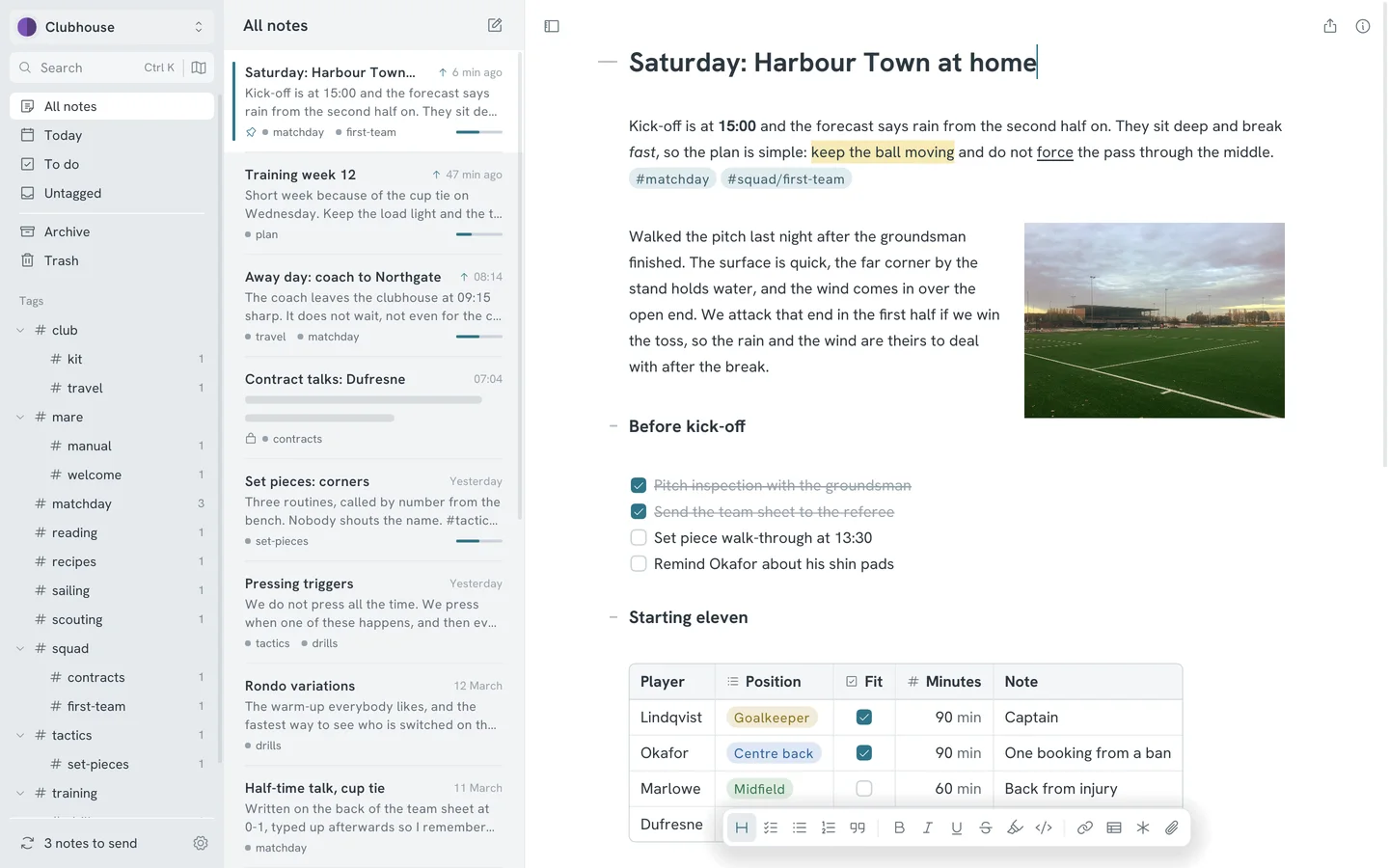
If you've used Bear on a Mac and then sat down at a Windows or Linux computer, you know the gap. Most notes apps there are a web page in a window. Mare is a native program, made for people who like how Bear feels and need it where Bear doesn't run.
Mare is an independent project. It is not made by Shiny Frog, the makers of Bear, and has nothing to do with them.
What will feel familiar
- Markdown that hides its markers
- Type the markers and see the result. Mare styles headings, bold, highlight, code and links as you write. The markers come back when you put the caret inside them.
- Tags instead of folders
- Type #work or #work/clients anywhere in a note and Mare files it in the sidebar. Tags nest, and each can have an icon and a colour. Close a tag that has spaces with a second #, as you're used to.
- Three columns
- Sidebar, note list and editor. Hide the first two with a button or a shortcut when you only want the page.
- Links between notes
- Type [[ and pick a note. Rename the note and the links to it update.
- Locked notes
- Lock a note from its right-click menu. Mare then stores its text and attachments encrypted, on your computer and wherever it syncs to.
- Themes
- 22 of them, light and dark. Mare can follow your system.
Where they differ
| Bear | Mare | |
|---|---|---|
| Runs on | Mac, iPhone and iPad. A web version is in public beta. | Windows, Linux, macOS, iPhone, iPad and Android. On phones you install it from TestFlight or an APK for now. |
| Price | Free without sync. Bear Pro is $2.99 a month or $29.99 a year. | Free. |
| Sync | Through iCloud, with Bear Pro. | Built in, to a place you pick: Google Drive, a git remote, a folder, an SFTP server or an S3 bucket. |
| Where notes are stored | In Bear, with export to Markdown, PDF, HTML, DOCX and other formats. | As one markdown file per note in a folder on your disk, readable without Mare. |
| Encrypted notes | With Bear Pro. | Included. |
The facts about Bear here come from bear.app and were checked in October 2026. Prices and features change, so check there for the latest.
Where Bear is ahead
If you only use Apple devices, Bear is probably still the better choice. In particular:
- Bear is in the App Store today. Mare is on TestFlight until Apple approves it.
- Bear works with Apple Watch, widgets, Siri and Shortcuts.
- In Bear you can sketch in a note with a finger or an Apple Pencil, and scan documents.
- Bear Pro searches the text inside pictures and PDFs.
- Bear exports to more formats, including DOCX and ePub. Mare exports PDF, and your notes are already markdown.
- Bear has had years of polish from a team. Mare is young and made by one student.
Where Mare goes further
Mare keeps your notes as ordinary files and lets you choose where they sync, so nothing depends on one company's cloud. Each sync keeps the previous version of every note. You can see what changed and restore it with one button. Changes made on two computers merge automatically when they are in different parts of a note.
A mermaid code block renders as a diagram. A note exports as a PDF with a front page and a table of contents. If you want, you can let an AI assistant on your own computer search and write notes. The manual has the full list.