 Mare
MareMare for Linux
A native markdown notes app for Linux
One native program, written in Go, with no Electron and no web view inside. Your notes are plain markdown files in a folder you choose.
Needs x86-64 with glibc 2.38 or newer: Ubuntu 24.04, Debian 13, Fedora 39, Arch, or anything newer. Nothing else to install.

Install it in three steps
- Download the tar.gz and unpack it.
- Run ./install.sh in the unpacked folder. It installs Mare into ~/.local, so you don't need root.
- Start Mare from your launcher and pick a folder for your notes.
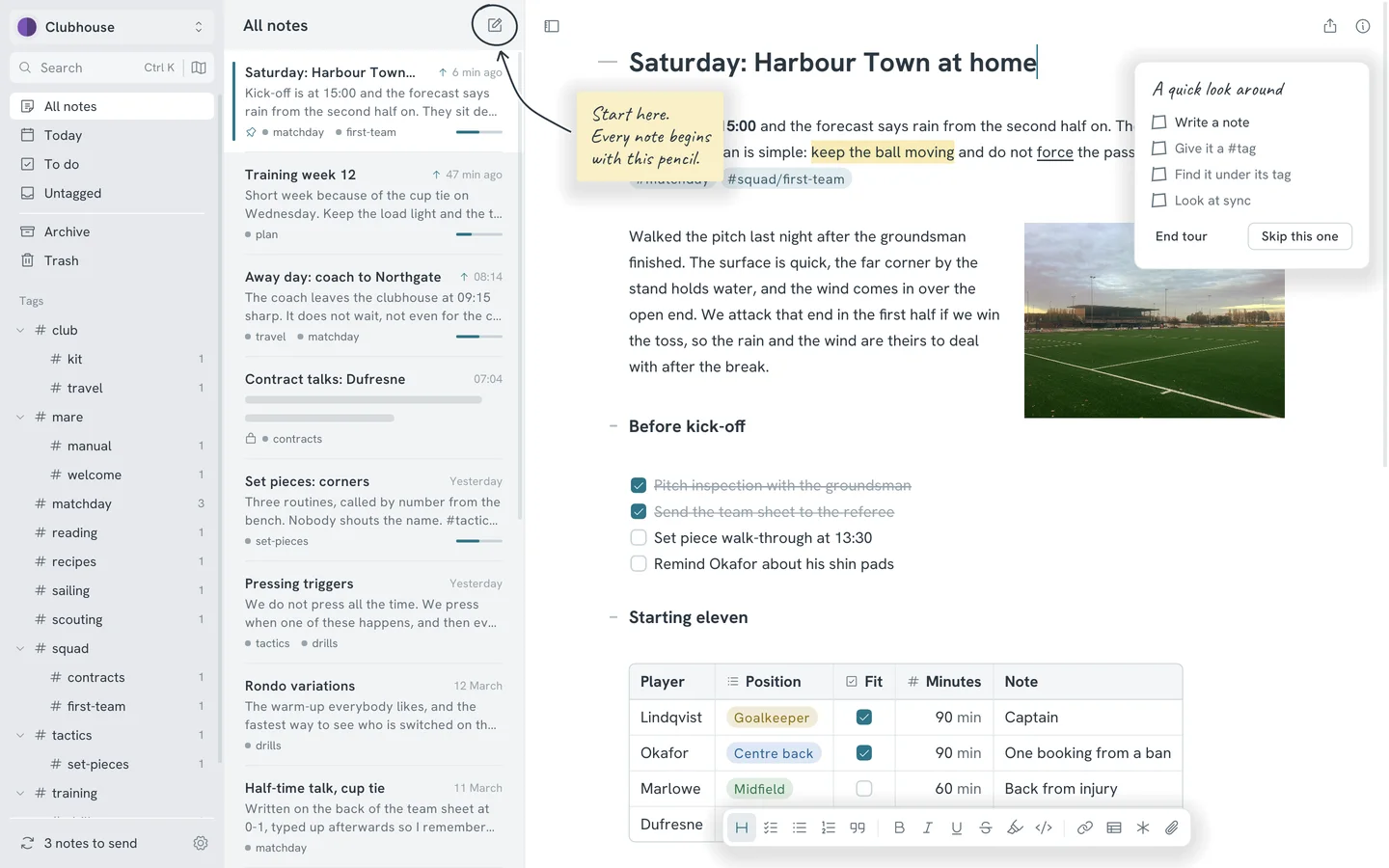
The first time you open Mare
- A folder for your notes
- Mare asks where to keep your notes and creates your first workspace there. You can set up sync later.
- The one-minute tour
- Handwritten notes with arrows point at the few things worth knowing. Each one is ticked off as you try it. Skip the tour if you like. You can start it again from Preferences.
- The Logbook note
- The Logbook of the sloop Probably Fine shows everything the editor can do. Scribble on it all you like. The next update restores it.
Other ways to get it
- AUR
mare-bin, for Arch and the distros based on it. pacman updates it instead of Mare.
Coming soon - Nightly
Built every night from the main branch. You get new features first, and now and then a broken one.
Checking
What you get on Linux
One program, installed just for you
The download is a tar.gz with the program, an icon, a launcher entry and install.sh. The script installs Mare into ~/.local for the current user, so you don't need root.
Asleep until you type
Mare redraws the window only when something changes. An open note you're not touching uses no CPU.
Git sync is built in
Point a workspace at a git remote and sync from the sidebar. One button creates an SSH key for your computer and copies it, ready to paste into your git host. Google Drive, SFTP, S3 and a plain folder work too.
Plain files in a folder
Every note is one markdown file in a folder you choose, with your pictures next to it. You can open them in any text editor, with or without Mare.
- What it needs
- An x86-64 computer with glibc 2.38 or newer. That covers Ubuntu 24.04, Debian 13, Fedora 39, Arch and anything newer. Mare needs OpenGL for drawing and nothing else. It keeps each workspace's history in git, and git is built in. There's no ARM build.
- Fitting into your desktop
- File dialogs come from the desktop portal, with zenity or kdialog as the fallback. Mare stores passwords and keys through git's libsecret helper, so they go into your desktop's keyring. Mare sets its window name on X11 and Wayland, so launchers and docks show it with its own icon.
- Updates
- After the first install, Mare updates automatically. When a new version is ready, a small card in the corner offers to relaunch. There's a nightly channel as well as the stable one.
- The same notes on your other computers
- Mare also runs on Windows and macOS. A workspace synced from Linux opens there unchanged, with its tags, pictures and history.