 Mare
MareMare for Android
Mare for Android, as an APK
The same editor, tags, locked notes, history and sync as on the desktop. You install it as an APK until it's on Google Play.
Needs Android 8 or newer, on a phone or tablet with a 64-bit ARM processor.

Install it in three steps
- Download the APK on your phone and open it.
- Android asks whether your browser may install apps. Allow it, then go back.
- Choose Install, open Mare and create your first workspace.
Android will ask first
Android asks more questions about an app from a website than about one from a store. That's Android being careful. Here's how to answer each one.
Install unknown apps
Android only installs an app from outside Google Play if you allow it, one source at a time. The first time, it says your phone isn't allowed to install unknown apps from this source. Tap Settings, turn on Allow from this source and go back. You can turn it off again afterwards.
Play Protect
Play Protect may say it doesn't know this app, because Mare isn't in Google Play yet. Choose More details, then Install anyway. The exact wording differs from phone to phone.
Updates
The APK doesn't update automatically yet. When a new one is out, install it over the old one. Your notes stay where they are.
Until it's on Google Play
Mare for Android is stable. Google Play hasn't approved it yet, so you install the APK for now. When it's on Google Play, you can switch. Your notes stay where they are.
Known issues
- It doesn't update automatically yet. Download the new APK and install it over the old one. Your notes stay.
Found something else?
Tell us what you did, what you expected and what happened instead. A screenshot helps. Report a bug
The first time you open Mare
- A place for your notes
- Mare creates your first workspace. Connect it to Google Drive, a git remote, SFTP or S3 and the notes from your computer sync to your phone.
- One pane at a time
- A phone shows the tags, the list or the note, and you swipe between them. A tablet shows the list beside the note.
- The Logbook note
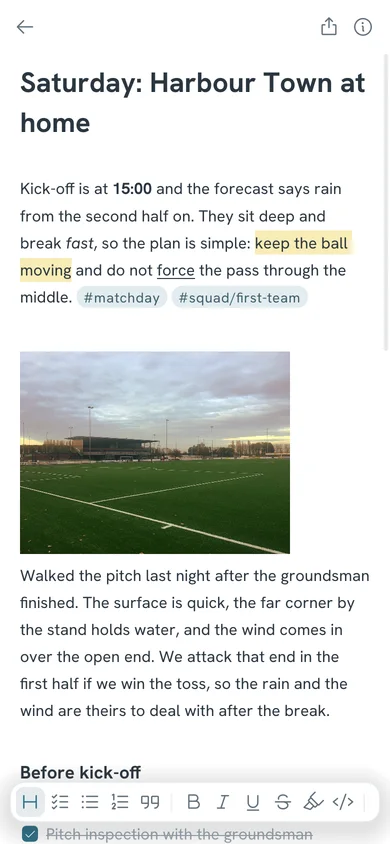
- The Logbook of the sloop Probably Fine shows everything the editor can do. Scribble on it all you like. The next update restores it.
Other ways to get it
- Google Play
Once Mare is on Google Play, Play installs it and keeps it up to date for you.
Coming soon