 Mare
MareManual / Mare 0.21
Make it yours
Open Settings with the gear at the bottom of the sidebar, or press Ctrl+comma.
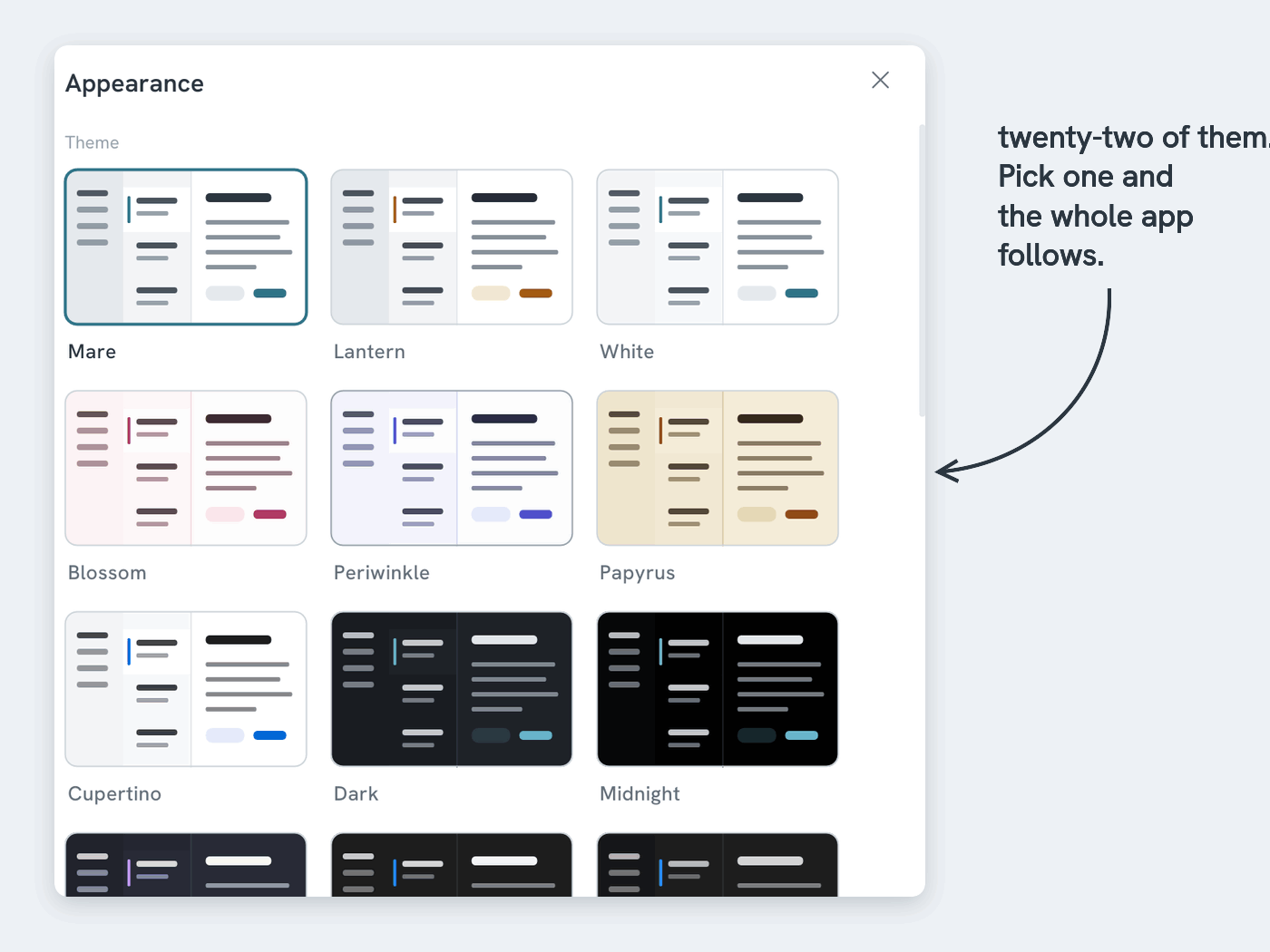
- Appearance → twenty-two themes, from quiet to pink to vampire. A few will feel like home if you live in VS Code, IntelliJ, Gruvbox or on a Mac. The first few are shown, and Show all shows the rest. Mare can follow your system. Under Sidebar, Coloured gives the sidebar the theme's strong colour, for a darker edge to the window
- Textured themes → the last six use wood, stone, cloth or a sea chart instead of a flat colour. They're at the end of the list
- In a hurry? → Ctrl+K → Theme previews each theme as you move through the list
- More than one workspace? → click the workspace's name at the top of the sidebar to switch, or to go back to all workspaces. Prefer a strip of flags along the sidebar's edge? Settings → Appearance → Switch workspaces from → Side strip. Ctrl+K → Workspace switches too
- Done with a workspace? → on the start screen, click the three dots on its row, or swipe the row left on a phone or tablet. Remove takes it off the list and keeps the folder. Delete deletes the folder from this device, after asking
- Editor → the font (including OpenDyslexic), the text size (Ctrl and plus or minus work anywhere) and the maximum line width
- Spellcheck → under Editor. One switch turns it on or off. Mac, iPhone, iPad and Android use your system's spellchecker and its languages. Windows adds a switch for each language. Linux has no system spellchecker, so Mare brings its own: Show languages lists about ninety dictionaries, Download gets one, and the bin removes it. Those dictionaries come from the LibreOffice project, and you can read their licences under Extras
- Extras → at the bottom of the list. Show friends on Discord that you're writing (never what). Read the licences of the fonts and code Mare is built with
- What's new? → what changed in each version, in case you closed the popup too fast
- Updates → Mare updates automatically. When a new version is ready, a small card in the corner offers to relaunch