 Mare
MareManual / Mare 0.21
The window, in ten seconds
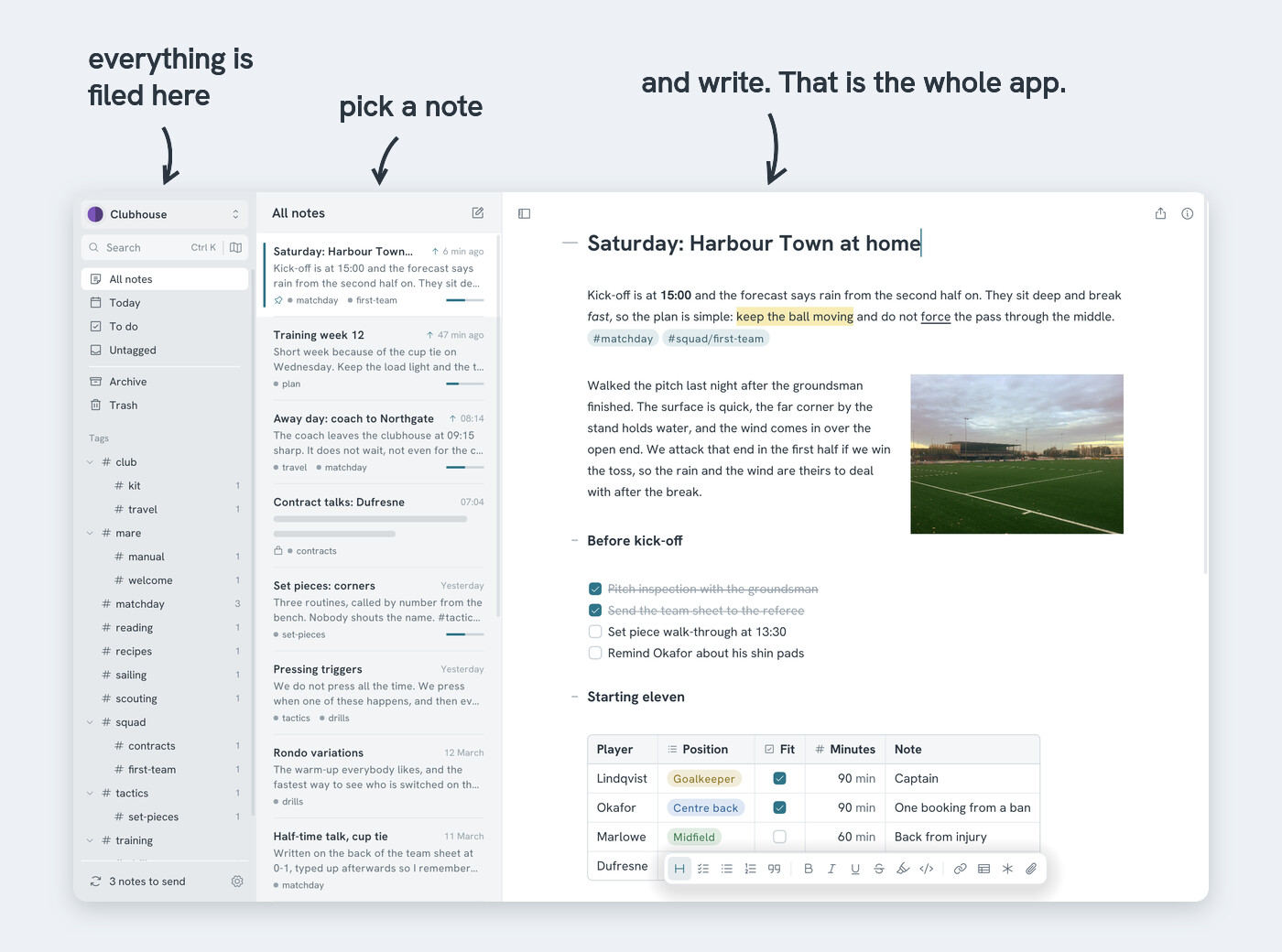
Mare has three columns, left to right:
- Sidebar → at the top, your workspace and a search field. Then your notes, grouped: all notes, today's notes, notes with todos and notes without a tag, followed by the archive and the trash. Your tags are below that. Sync and Settings are at the bottom
- Note list → the notes in the group you picked in the sidebar, newest first
- Editor → the note itself
Too much on screen? Click the button at the top left of the editor to cycle through the three layouts. Or press Ctrl+1 (editor only), Ctrl+2 (editor and note list) or Ctrl+3 (everything).
- New note → press Ctrl+N, or click the pencil above the list
- The first line of a note is its title. Change the line to change the title
- There's no save button. Mare saves as you type. Go on, close the lid
- Want a tour? Settings → What's new? → Take the tour. It takes a minute and shows you where things are