Mare
MareLogbook / Guide /
Journaling with Mare: a diary, your plans and a calendar
A note for every day, a tag for how it felt and a calendar that updates as you write. One way to keep a diary, your plans and the birthdays you must not forget, from a student's October.
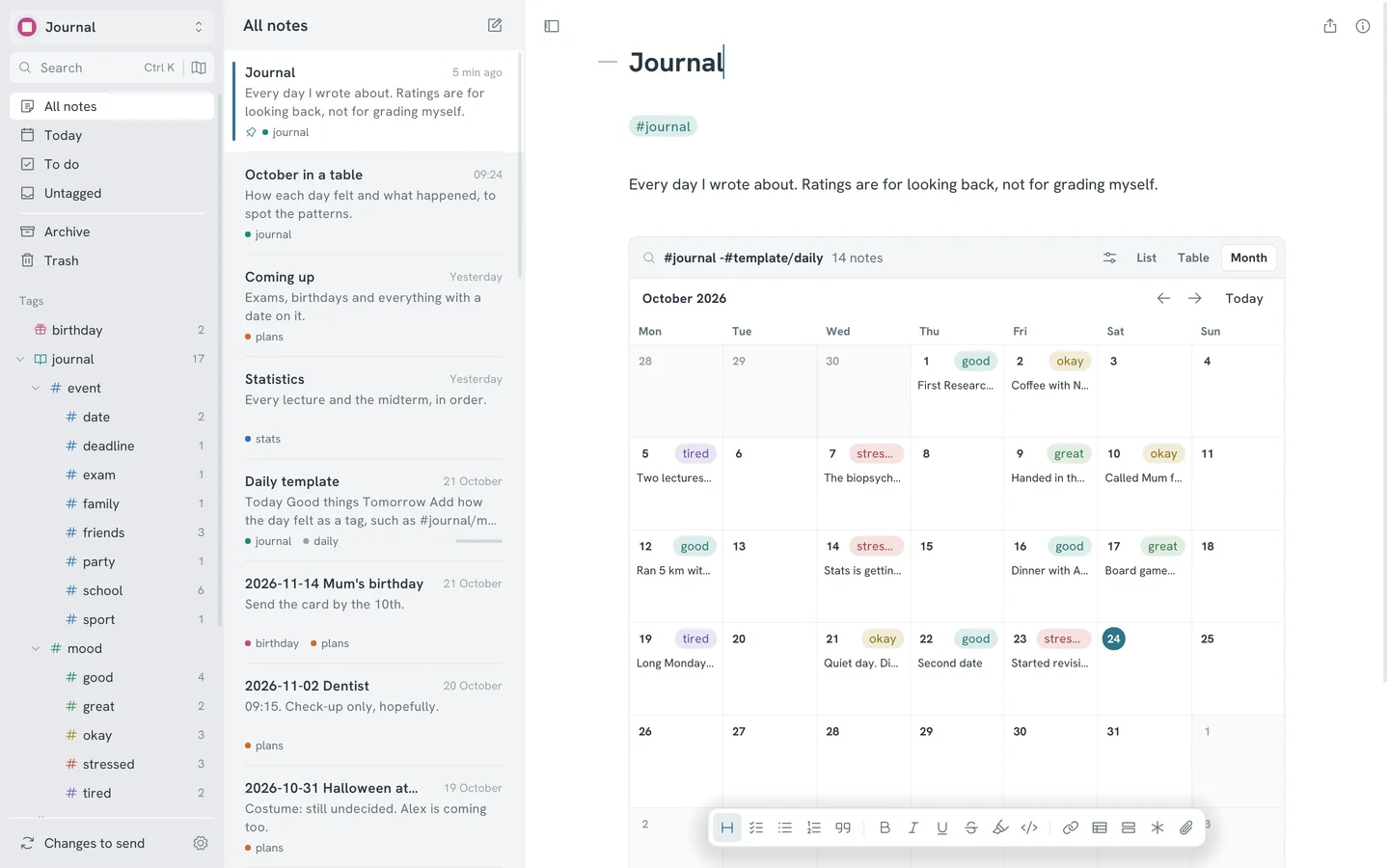
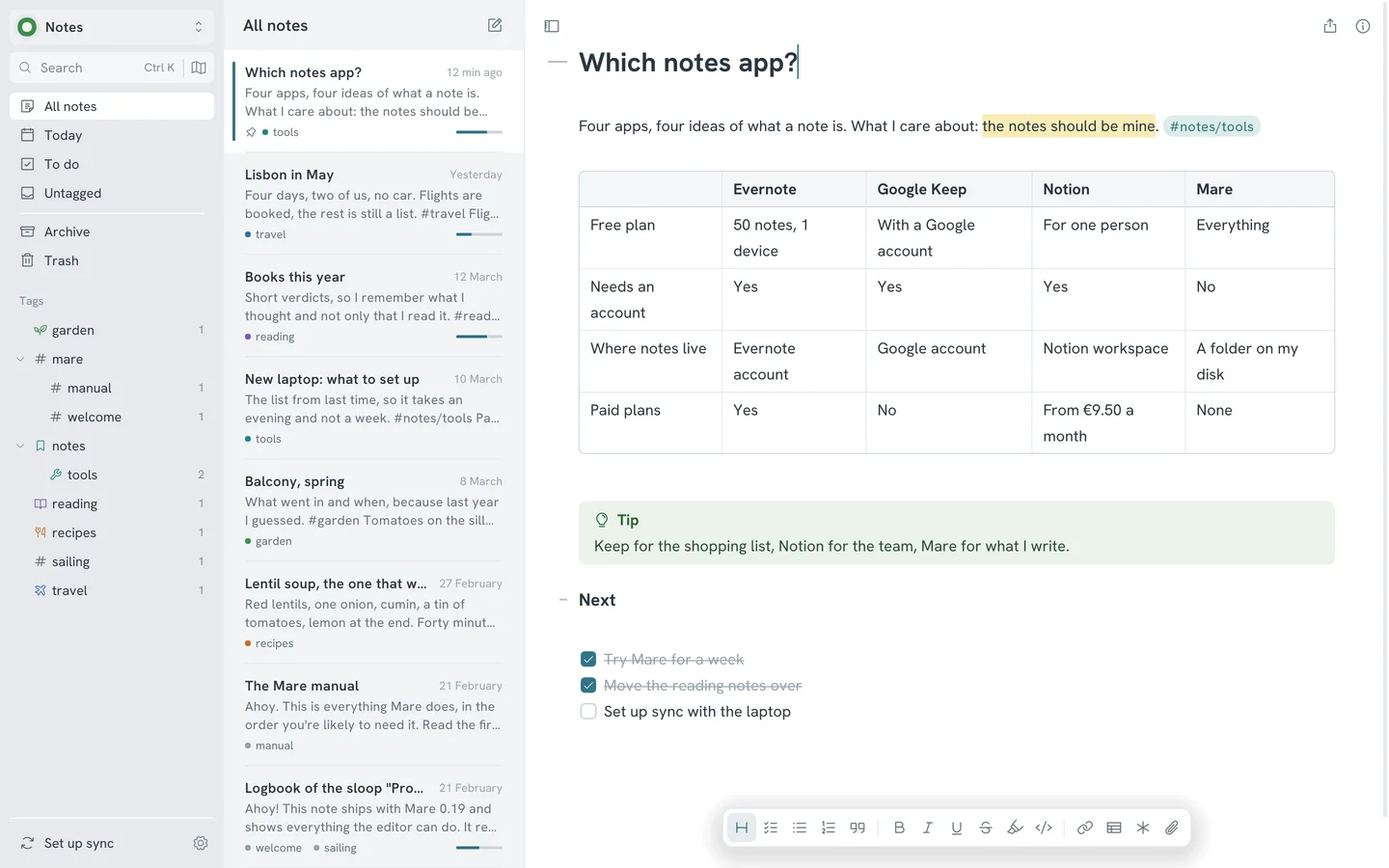
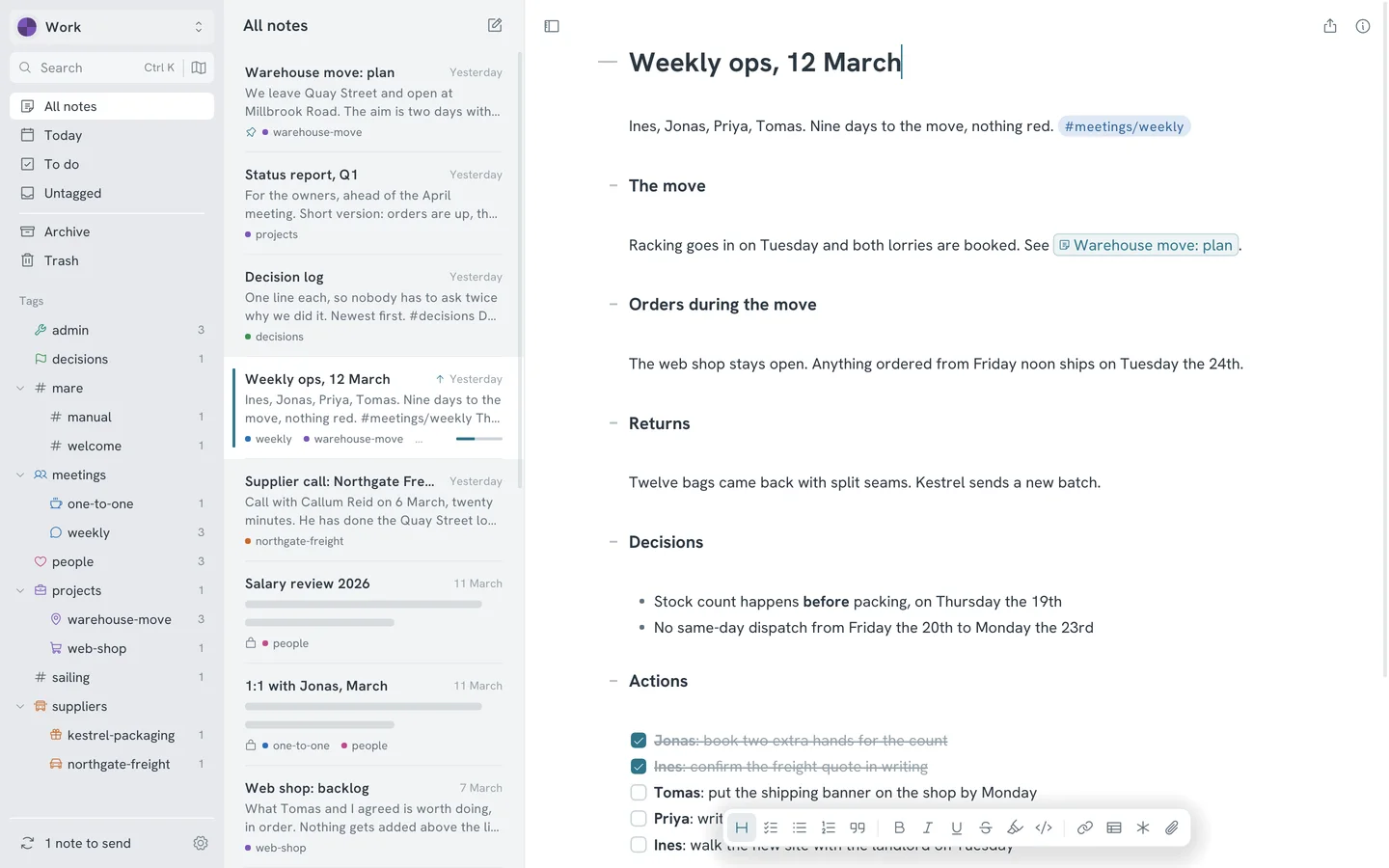
A diary works best when writing in it takes less effort than skipping it. Here's one way to keep one in Mare, together with the dates you must not forget: exams, birthdays, the dentist. The pictures on this page come from a made-up student, Mika, in the middle of October. The statistics midterm is three days away.
One note for every day
Press Ctrl D and Mare opens today's note. The first time each day, it makes one, with the date as its title, such as 2026-10-23. Press it again in the evening and you're back in the same note, with the caret at the end.
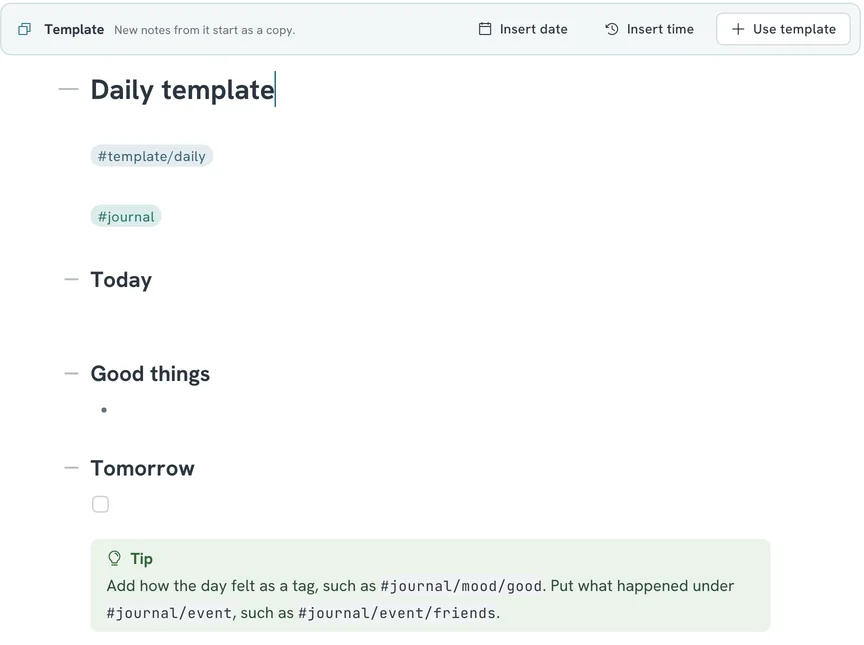
Give your days a shape with a template. Make a note called Daily template and write the headings you want every day, such as Today, Good things and Tomorrow. Put the tag #journal in it too. From then on, every day's note starts as a copy, already tagged.
Write the day, not an essay
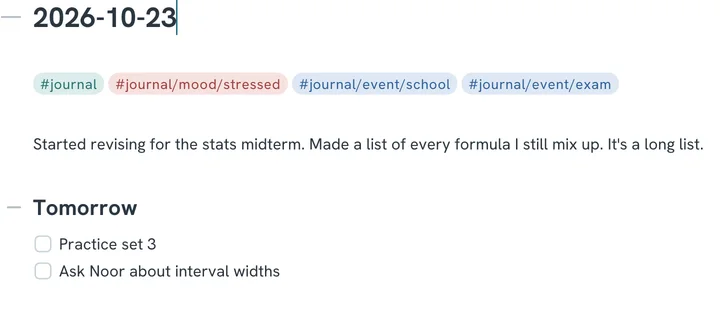
A few lines are enough. What happened, one good thing, what's next. The entries you'll enjoy reading in a year are rarely the long ones.
- Missing days are fine. Nothing nags, and the calendar just shows an empty day.
- Todos under Tomorrow work like any todo. The To do view in the sidebar collects the open ones from every day.
- Paste a photo from your phone. It's stored with the note and syncs with it.
- Link to another note with
[[, such as the lecture you were stressed about. You can follow it back from the lecture too.
Tag how the day felt
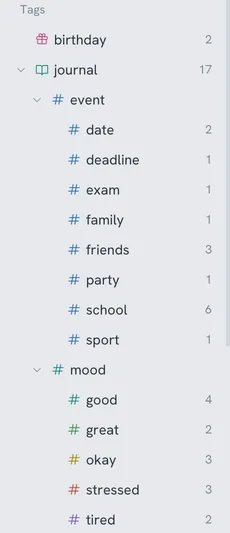
A mood is a tag under your journal tag. Type #journal/mood/good or #journal/mood/stressed, and the sidebar grows a branch for it. Do the same for what happened: #journal/event/friends, #journal/event/exam, #journal/event/date.
Keep the list short. Five moods are easier to pick at 23:00 than twenty. Right-click a mood in the sidebar to give it a colour. Green for great and red for stressed makes a month readable at a glance.
A calendar that updates as you write
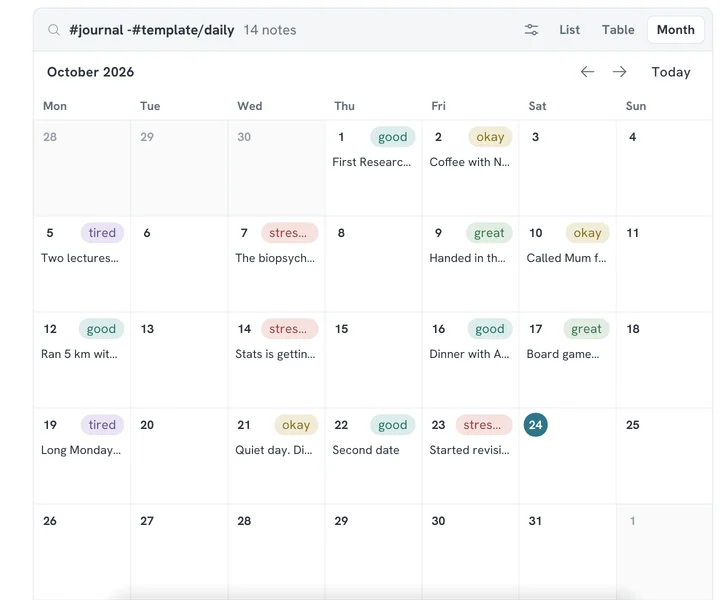
This is where it comes together. Make a note called Journal and click the notes block button in the formatting bar, next to the table button. A notes block lists the notes that have a tag, right inside a note. Its settings open straight away. Pick #journal and choose Month.
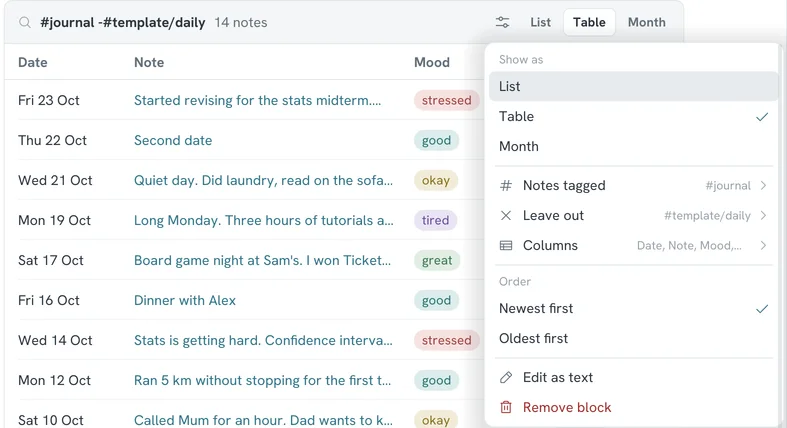
That's all. You never update the calendar yourself. Write tomorrow's entry and it shows up in its day. To show the mood in each day, open the block's settings with the button in its header and choose Pill in each day, then Mood.
Look back in a table
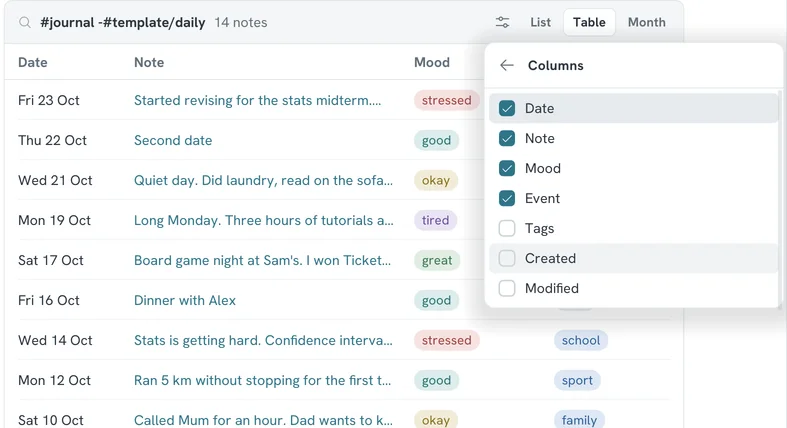
A month is good for spotting gaps. A table is good for spotting patterns. Add a second block to another note, or switch the same block to Table in its header.
Open Columns in the settings and tick what you want to see. Mare offers a column for each group of tags under your journal tag, so Mood and Event are there without any setup. Each mood shows as a pill in its colour.
Three stressed Wednesdays in a row say more than any single entry does. Now you know when to plan a quieter evening.
Plans, exams and birthdays
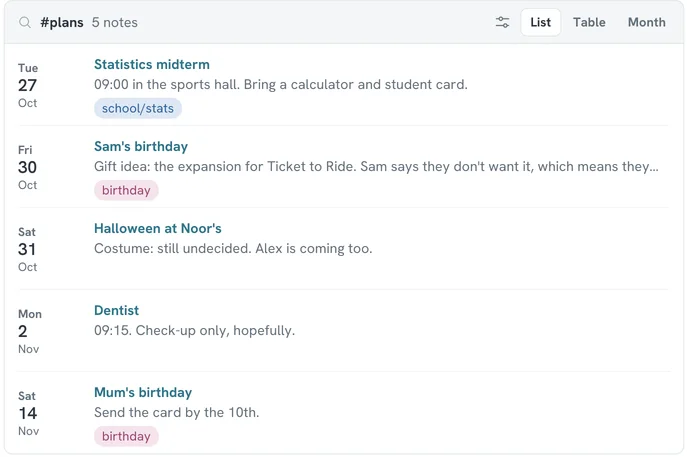
A note is on a day when its title starts with the date. "2026-10-27 Statistics midterm" is on the 27th, and so is anything else you title that way. A day can have as many notes as you like.
Give these notes a tag such as #plans, and #birthday for birthdays. Then a note called Coming up with a block of #plans, as a list, oldest first, shows what's next. The midterm can carry your course tag too, so it also shows up with your lecture notes.
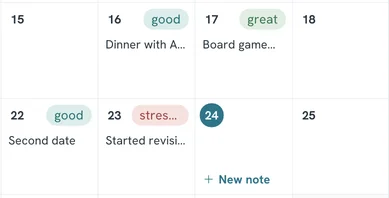
To plan ahead from the calendar, hover over a day in the month and click New note. The note gets the date as its title and the block's tags, and the caret waits at the end of the title. Type what the day is for, such as Dentist.
One honest limit: Mare doesn't repeat things. A birthday is a note for this year's date. Make next year's when you write the card.
A log for each course
The same block works for school. Tag every lecture note with its course, such as #school/stats, and start its title with the date. A note called Statistics with a block of #school/stats lists every lecture in order, with the midterm at the end. It's the course at a glance, and it updates whenever you add a lecture.
On your phone
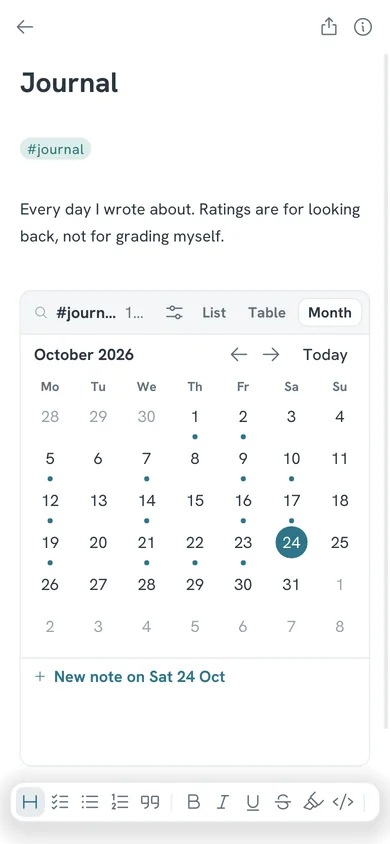
On a phone, the month shows a dot under each day with an entry. Tap a day to see its notes under the calendar, or to start one. The settings open as a sheet with big buttons, so changing a block is as easy as on a laptop.
Sync the workspace with Google Drive or a git repository and your diary is on both. Write on the tram, reread on the laptop.
Keep it yours
A diary is the most private thing you write. Keep it in a workspace of its own, apart from the notes you share with your study group. Right-click an entry and lock it if someone else uses your laptop. Locked notes are stored encrypted, on your device and wherever the workspace syncs to. Notes blocks leave them out.
Tips
- Coming from another app with dates like 10-23-2026? Press Ctrl K and choose Rename dated notes. Mare shows the new titles and asks first.
- Write in the evening, plan in the morning. The Tomorrow heading is the bridge between the two.
- Search finds your own words. Look up a friend's name with Ctrl K and you get every day you mentioned them.
- Want a rating as well as a mood? Add
#journal/rating/3and tick Rating in the block's columns.